Today
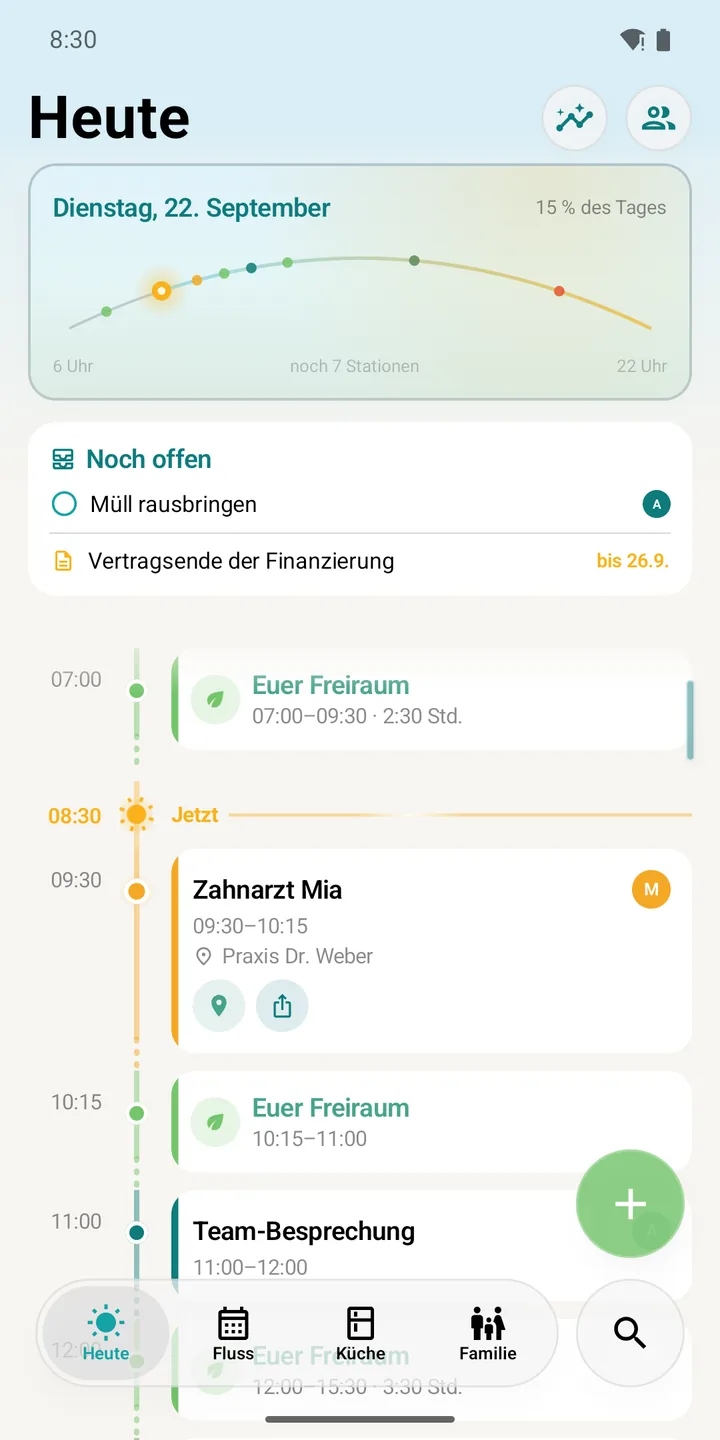
What's coming up, what's due, who's where – at a glance, with everyone's lanes side by side.
Appointments, school runs, shopping, pantry and paperwork – for just you or the whole family. Calm, clear and securely encrypted.
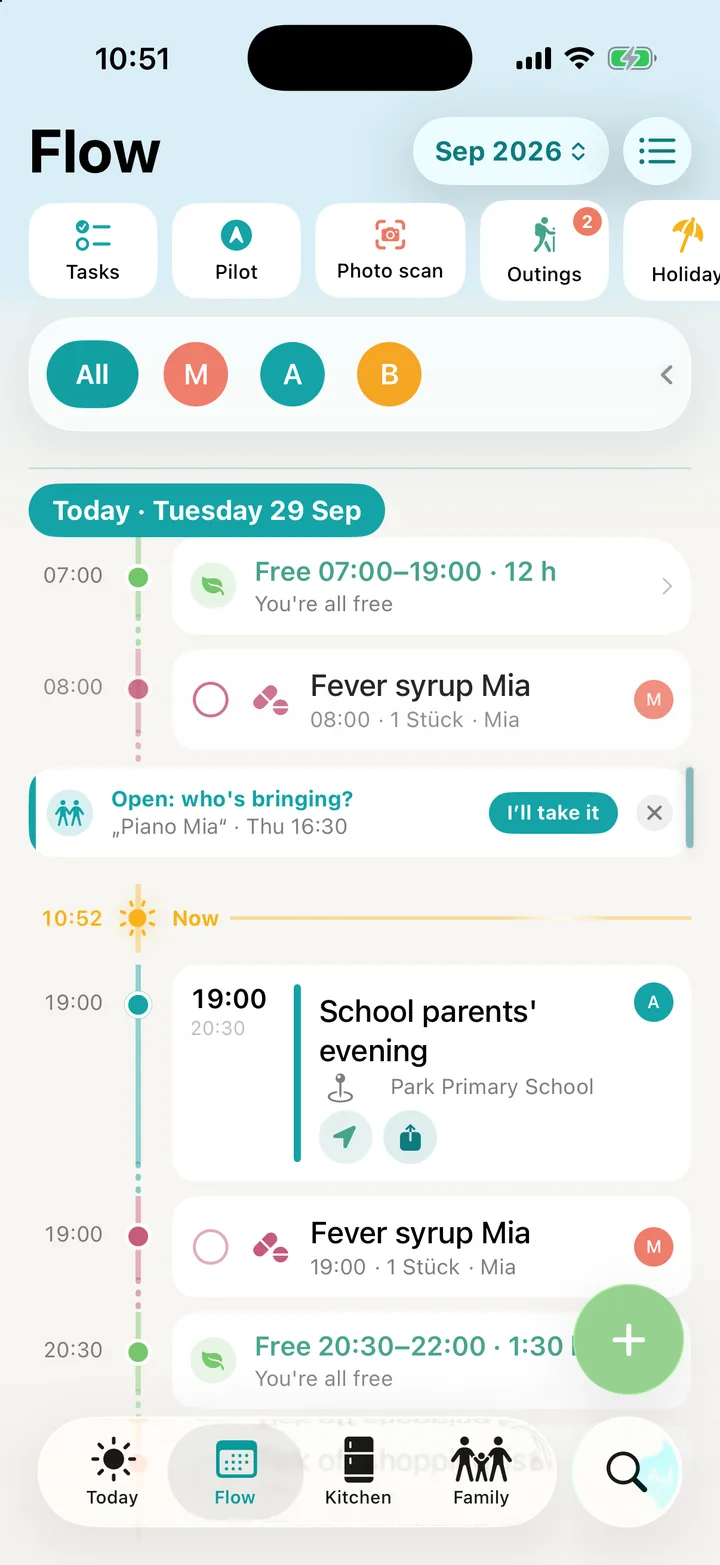
Instead of five apps and three group chats: one timeline where everyone sees what's coming up – and who's taking care of it.
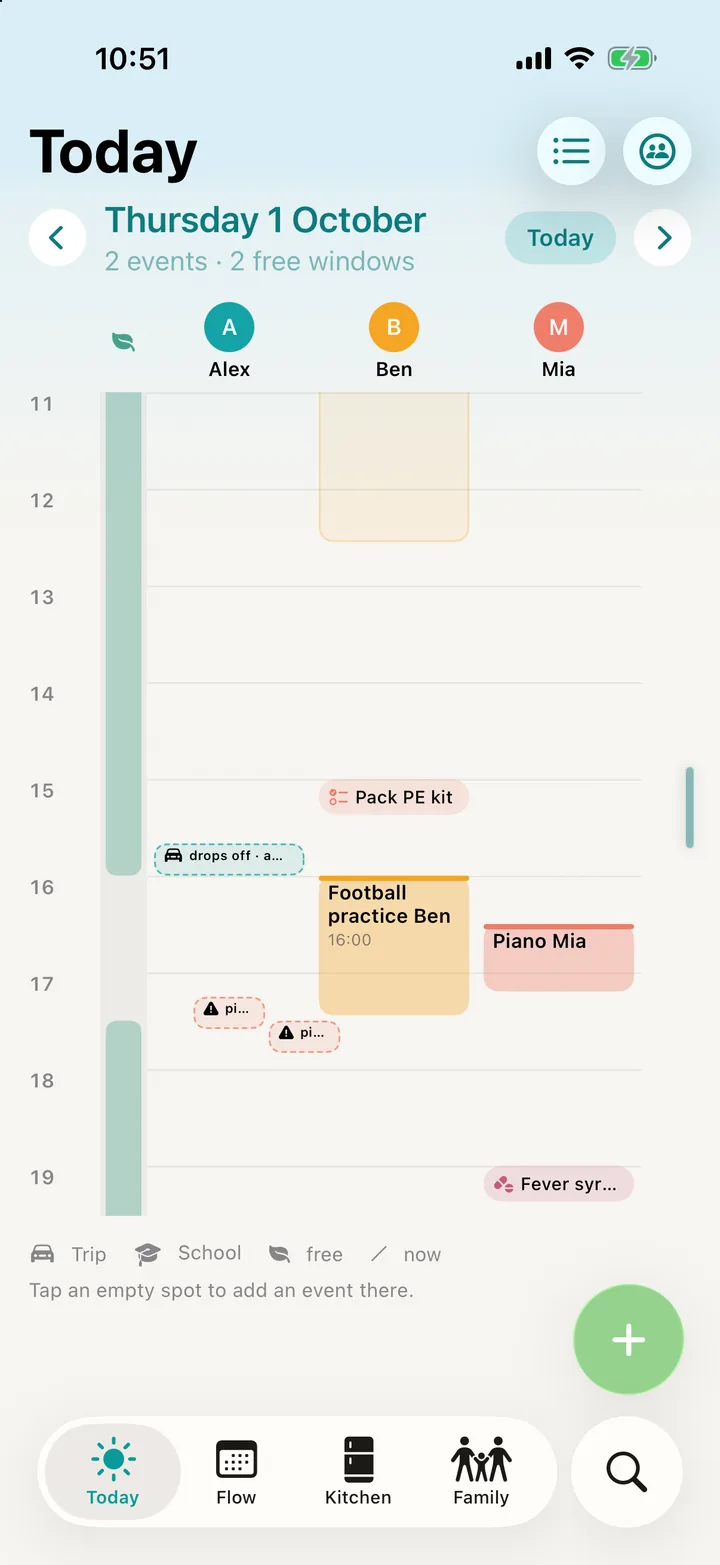
Everyone gets their own lane. School, work and lifts sit side by side – clashes stand out immediately.
Freiraum finds the windows when you're all free – for outings, errands or simply doing nothing.
Open lifts become visible. One tap on “I'll do it” – and everyone knows.
Snap the letter from school – the appointment with time and place is already in the flow.
Freiraum replaces calendar, shopping list, gift list and document folder – and connects them where it helps.
What's coming up, what's due, who's where – at a glance, with everyone's lanes side by side.
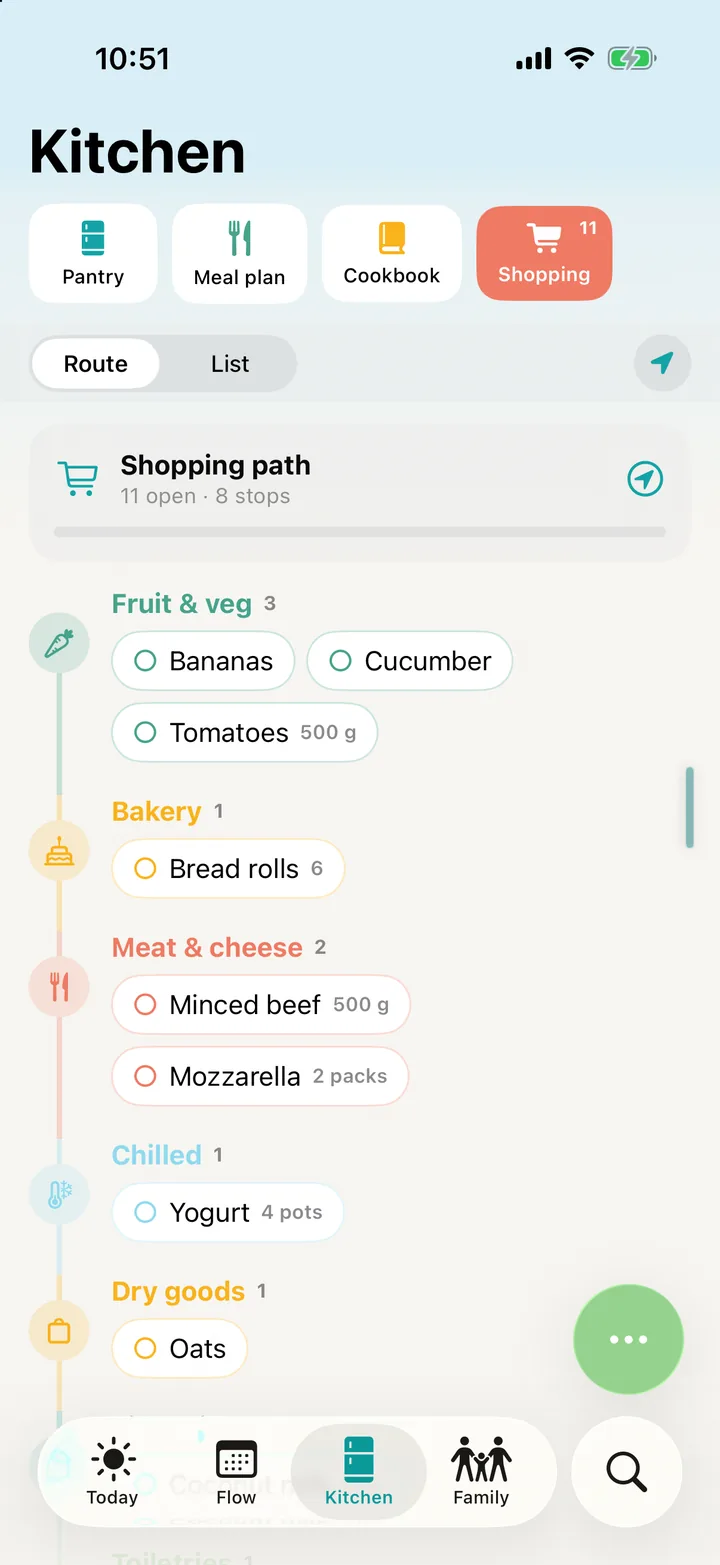
The shared list sorts itself along your route through the store. Whatever runs out at home lands on it automatically.
Set up a pattern once, view by week or month – and simply copy days and paste them elsewhere.
Snap the pack, done. Freiraum reminds you of doses, expiry dates and restocking.
Contracts, warranties and IDs safely in one place – with deadlines and a tax report.
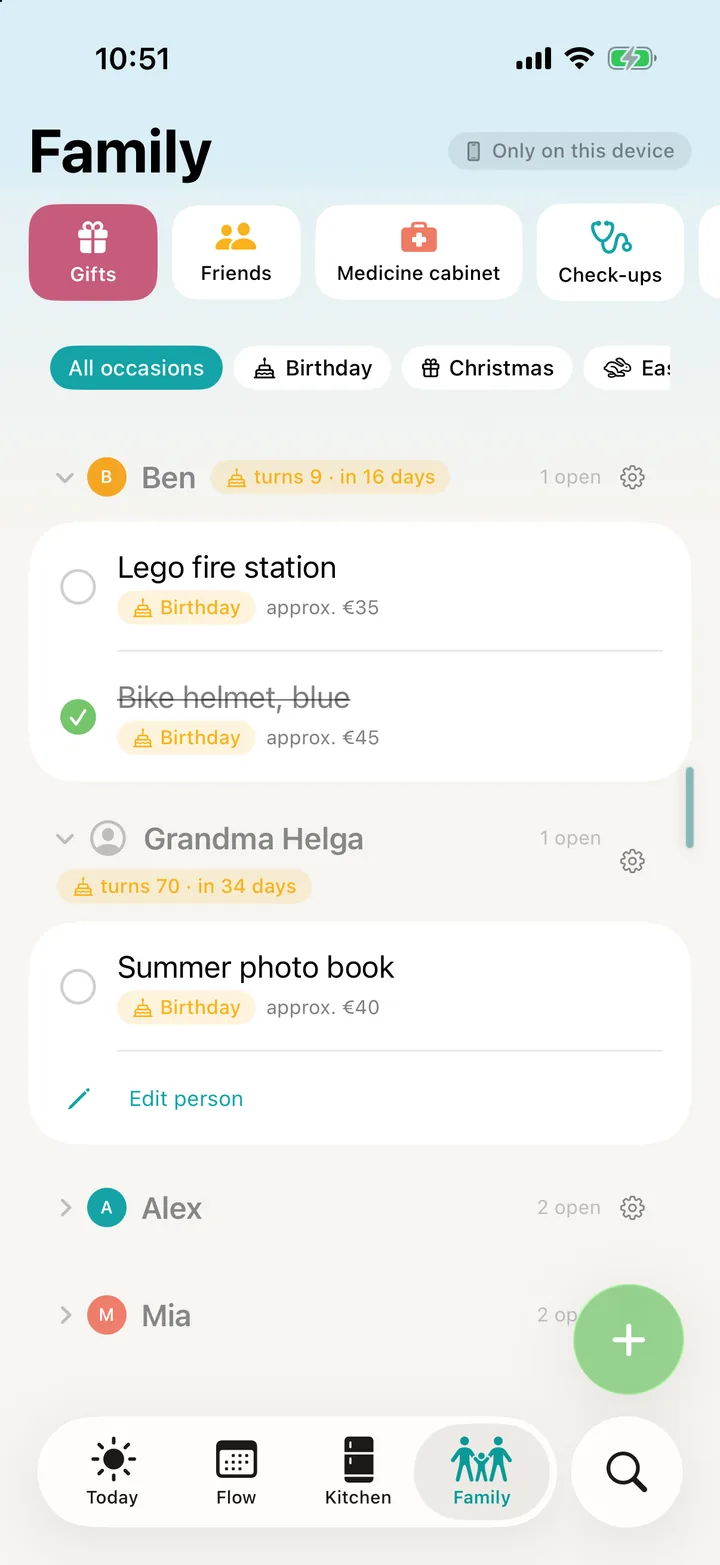
Collect ideas per person, keep occasions in view and plan together – without spoiling the surprise.
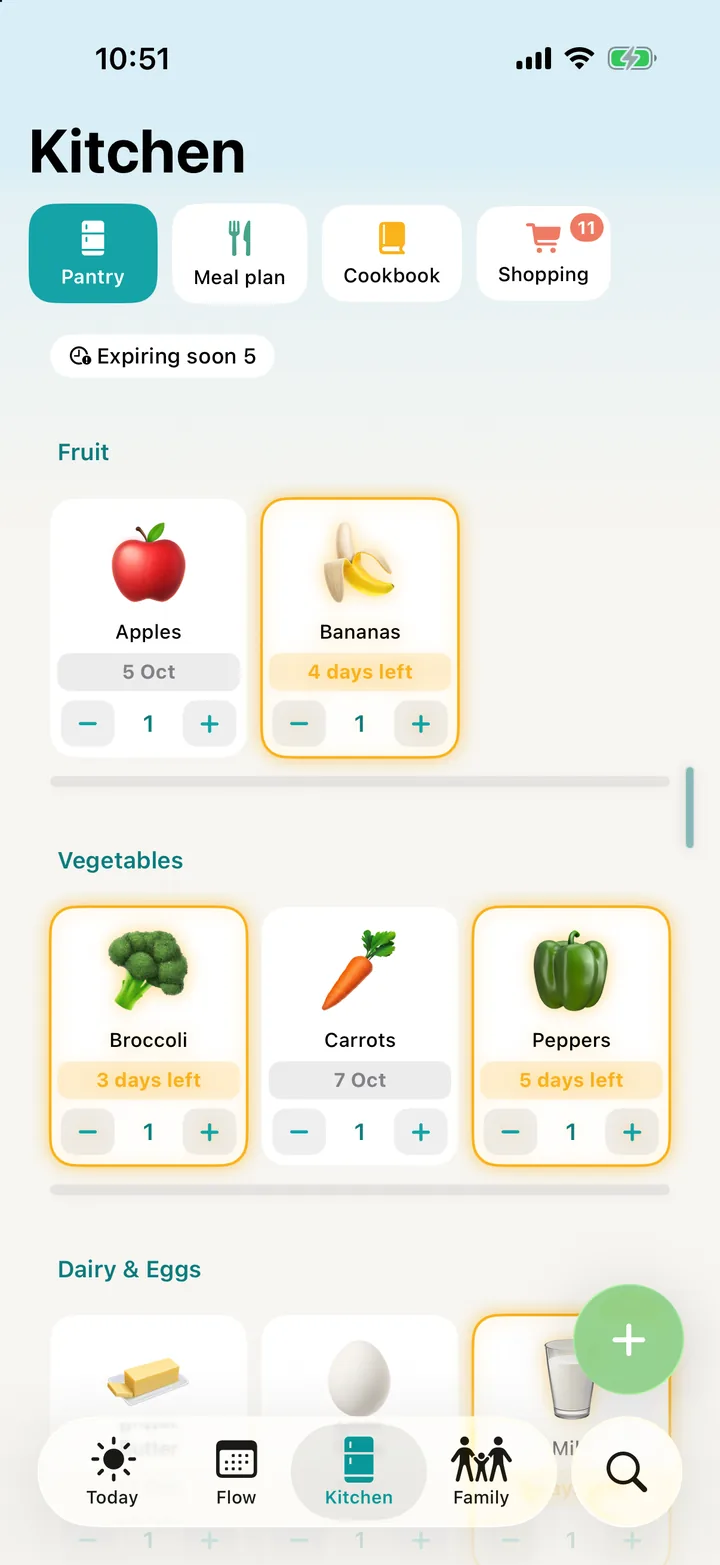
Throw away less, cook more relaxed.
Photograph the timetable once – the kids' week is set. Freiraum even reminds you about the PE kit.
Share links, notes and photographed slips from any app – searchable and at everyone's fingertips.
The helpers do the tedious bits: reading letters, recognising plans, importing recipes. You keep the overview – and the final say.
Snap an invitation, flyer or school letter – title, date and place land in the flow.
One photo and the school week is set – with subjects, rooms and times.
Appointments, tasks and free windows become a suggestion of who does what, when.
Recipes from what's already in the house – with a shopping list for what's missing.
Share a food blog or video – ingredients, steps, times and nutrition are imported.
Ideas for shared free time nearby – and the family votes.
The AI only runs when you trigger it. All core features work without it.
Family life is private. That's why everything is encrypted on your devices before it leaves them. Not even we can read it.
Mum has an iPhone, the eldest an Android? No problem. Freiraum syncs through the Freiraum Cloud – in real time and the same on every device.
Start on your own or as a couple. When someone joins, the same household simply grows – no new account, no export.
Your everyday sorted: appointments, shopping, pantry and paperwork.
Invite your partner, share lists, coordinate appointments.
Kids, grandparents, every device – with handovers, voting and gifts.
Try everything. Then decide what you really need.
Everything is free for 30 days – like Family+. No subscription, no catch.
To carry on after the 30 days – just for you.
Free forever
For you or the two of you.
€2.08 a month · save 30 %
The whole family on every device.
€3.00 a month · save 25 %
Everything in Family – plus the full assistant.
€7.50 a month · save 25 %
Prices for Germany incl. VAT; other countries may vary. Cancel any time in the App Store or Google Play. One subscription covers the whole household.
Plan the week at your desk, add to the shopping list, look up a document: soon you'll open your Freiraum at freiraumlife.app – securely paired with your app and just as encrypted as on your phone.
No. Freiraum works without signing up with an email and password. For family sync you create a household and invite the others by link or QR code. A recovery code secures access.
Yes. The Freiraum Cloud syncs between iPhone and Android – with the same features on both. The Android app is coming to Google Play shortly.
Only your devices. Everything is encrypted before it leaves the device; the key is never on the server. Not even we as the operator can decrypt anything.
The first 30 days everything is free – at the Family+ level. After that you continue with Solo for free, or choose Life+, Family or Family+. One subscription covers the whole household.
Soon. Web access at freiraumlife.app is in preparation. You'll pair the browser with your app via QR code – like another device, and just as end-to-end encrypted.
No. The AI helpers only run when you explicitly trigger them – for example when photographing a letter. All core features work without AI.
Any time in the subscription settings of the App Store or Google Play. Your data stays intact.

Download Freiraum Life and try everything for 30 days – on your own or with the whole family.